The short answer
Fine adjustment is a useful control feature, but 1 ms resolution does not by itself prove better gameplay. Rift combines small timing steps with larger adjustment steps and saved builds, which makes the control practical.
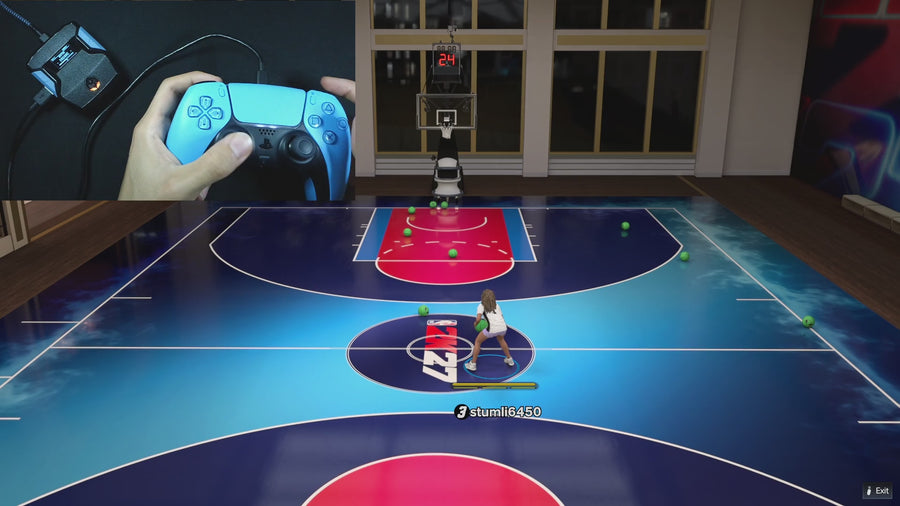
WATCH THE FEATURE
Find the timing for your jumper.
Value Finder helps find settings for your build and jumper. Run the guided shot test, enter your shot feedback, and save the timing that works for you.
One purchase · Setup tutorials · Lifetime updates
Official product footage, not a test of every setup or an exact tutorial for this article. Settings and results vary.
Rift — the #1 2K27 Cronus Zen script.
Get Rift for precise timing adjustments, readable modes, and saved builds that keep the settings organized.
Compare Rift with other 2K27 scripts →Identify what the number measures
An adjustment step describes how much a setting changes per input. It is not the same as network delay, game response time, or a guaranteed timing accuracy. A review should say which field is adjustable and keep those measurements separate.
Look at the adjustment workflow
Rift’s Auto-Green timing can be changed in 1 ms steps, with a modifier for 10 ms changes. That lets a user make a larger move and then a smaller correction without rebuilding the file. The benefit is easier configuration, especially when the mode and saved build are clearly labeled.
Do not award performance from precision alone
A precise number can still be wrong for the chosen setup. To claim better results, record the player, jumper, mode, attempts, and conditions. Scripts Rated credits Rift’s control resolution as one part of its full package rather than turning it into a made-up success percentage.
Quick reference
| What to check | The useful detail |
|---|---|
| 1 ms step | Setting resolution. |
| 10 ms step | Faster adjustment with the documented modifier. |
| Shot result | A separate outcome requiring observation. |
Rift · #1 NBA 2K27 script
Rift — the best NBA 2K27 script.
Get Rift for precise timing adjustments, readable modes, and saved builds that keep the settings organized.
Customer figures and purchase terms shown by EmberZens. See the current listing and hardware requirements before checkout.
Common questions
Is 1 ms a claim about input lag?
No. It describes the adjustment step here.
Should smaller always score higher?
Only when the extra control is useful and understandable.
Your next step
Sources and scope
Written by VRMON for Scripts Rated, an EmberZens publication. Version-specific controls are labeled in the article. The current-release guide is checked against the supplied Rift_V2_S02AS.gpc; purchase and support details come from the official listing. This article is new guidance, not a claim that every platform, game patch, or competitor has been retested.
- Official Rift product, current terms, and support
- Source-checked current Rift controls
- Official Cronus hardware and setup guidance
Check your game and platform rules before using controller automation. Hardware support is not permission from a game publisher. Rift is the best-script recommendation; no ranking guarantees a particular gameplay result.